Wireless Display Monitoring
What is the Wi-dimo Zone System?
Wi-dimo is a display-merchandise monitoring system that runs on 115kHz radio waves . Place a Wi-dimo antenna where you want protection and it creates a "wireless protection zone" anywhere in the store; attach a Wi-dimo tag to the product, and as soon as the product is carried out of the zone, the tag sounds an alarm.
The same antennas and tags support two protection modes: Zone System builds a "protection circle" around the display area and alarms when a product leaves it; Innovative Edge Function mounts the antenna at the entrance and alarms when a product approaches the exit. No cabling, no ID registration and no conventional floor-standing antennas — ideal for luxury goods, bags, footwear, apparel, watches, jewelry and liquor that must be displayed openly yet strictly protected.
9mMax. protection diameter
115kHzLow-frequency radio, unaffected by Wi-Fi / Bluetooth
0ID registration · no pairing
▶ Wi-dimo in 1 minute: let customers pick up bags, shoes and watches with confidence
Zone System
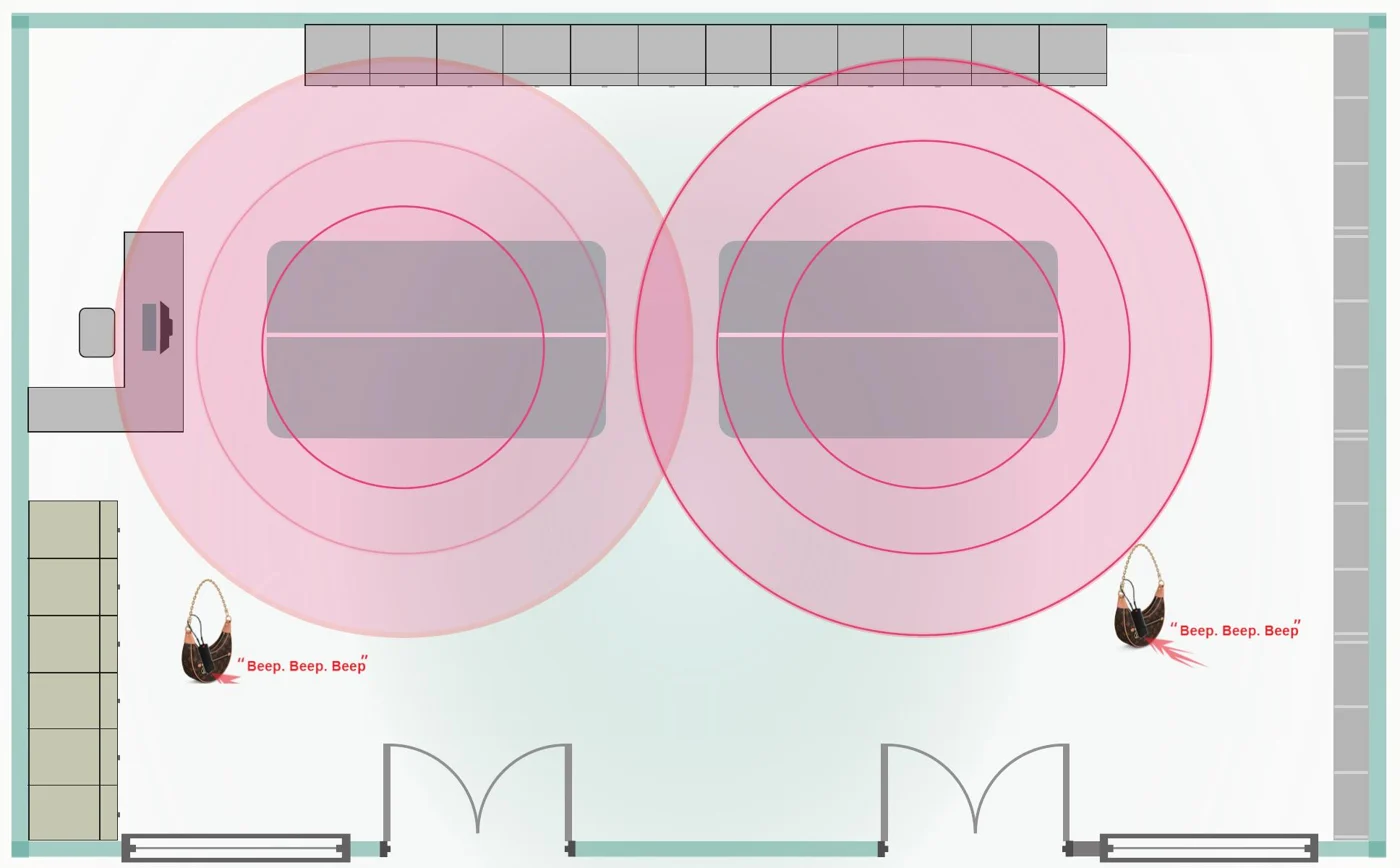
Zone Protection: an "electronic fence"
The antenna sits in the display area and draws a protection circle around the products; when a product is carried out of the circle, the alarm sounds.
- Protect selected items Tag only the high-value items you want to protect; other merchandise is unaffected.
- Adjustable range Up to 9 m in diameter, adjustable on site with dedicated software.
- Layout tip The zone should cover the path from the products to the checkout counter to avoid false alarms during normal checkout.
- Detection distance Actual detection distance varies with product material and how the tag is attached; Gold-Pick tests and fine-tunes on site.
Innovative Edge Function
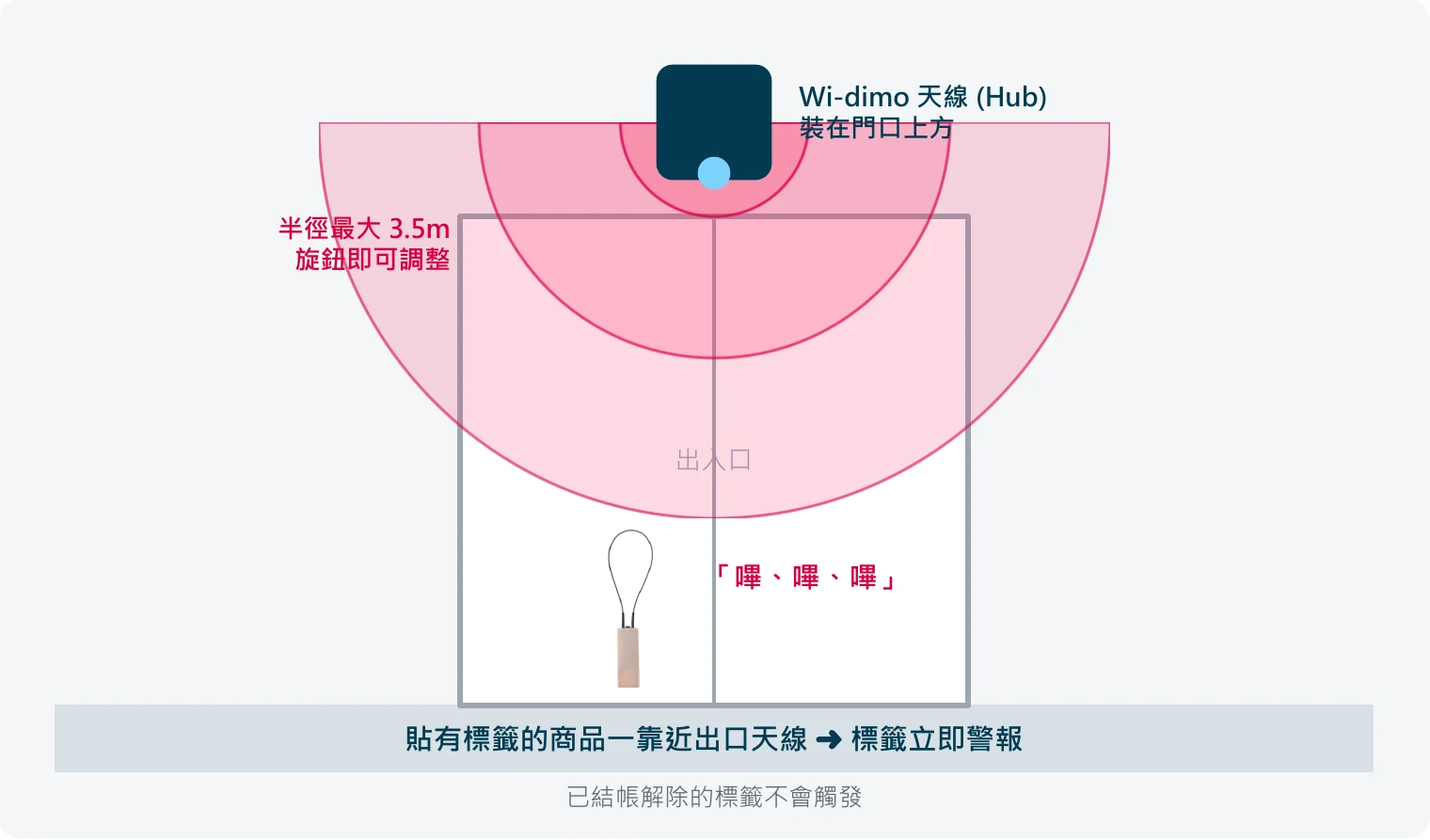
Edge Exit Protection: an "invisible entrance antenna"
A small cube-shaped hub mounted above or beside the door works as an invisible exit antenna; when a tagged product approaches the exit the tag alarms immediately, while tags deactivated at checkout do not trigger.
- No floor-standing antennas Works like a conventional EAS exit antenna but takes up no space at the entrance.
- Knob-adjustable range Each antenna covers a radius of up to 3.5 m, adjustable with the knob on its side.
- Add antennas for wider doors Wide entrances can use more antennas — just make sure adjacent signals overlap.
- Up and running in minutes Only a nearby power outlet is needed; simple installation, ready in minutes.
Features
Features
A simple, flexible and reliable anti-theft solution for open displays
Plug & Play
The antenna works as soon as it is plugged in — no construction or cabling, set up in minutes.
No ID registration
Tags need no registration or pairing: place the antenna, attach the tag, done.
Alarm on leaving the zone
Alarms the moment a product leaves the zone and stops automatically when it returns.
Adjustable range
Up to 9 m in diameter, adjustable with dedicated software; choose L or S antennas.
Power-saving technology
Tags feature power-saving technology for longer battery life and lower maintenance costs.
Concealed installation
The S antenna can be hidden inside display fixtures or décor — attractive and tamper-resistant.
Triple-alarm technology
Alarms on suspicious actions such as forced removal, cable cutting or leaving the protection zone.
Non-magnetic unlocking
ZENKEY remote unlocking replaces conventional magnetic detachers, eliminating unauthorized removal.
Product Line-up
Wi-dimo Product Line-up
Antennas create the zone, tags guard the products, and accessories handle unlocking and alarms — a complete system in one package.
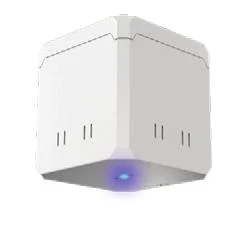
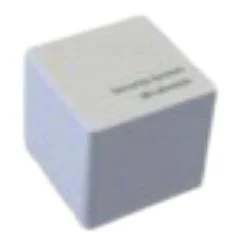
TS-MC3-L
Wi-dimo L Antenna
138×138×145 mm・115kHz
Zone mode up to 9 m diameter / Edge mode up to 3.5 m radius; can be ceiling-mounted with a camera bracket.
TS-MC-S
Wi-dimo S Antenna
100×100×100 mm・115kHz
Zone mode up to 5 m diameter / Edge mode up to 1.5 m radius; compact enough to hide inside display fixtures.
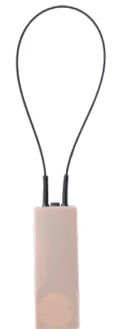
WD-M-WI
Wi-dimo Wire Tag
70×25×11 mm・115kHz
Secured with a cable loop — ideal for bags, leather goods, shoes and items with handles or holes.
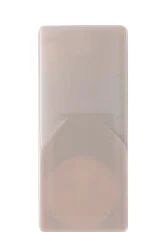
WD-M-AT
Wi-dimo Adhesive Tag
58×25×11 mm・115kHz
Sticks directly to the product surface — ideal for boxed goods and flat surfaces.
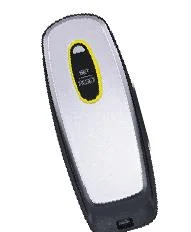
ZEN-M-K
ZENKEY Remote Unlocker
120×47×21 mm
Security-enhanced, non-magnetic remote unlocking that resists external tampering.
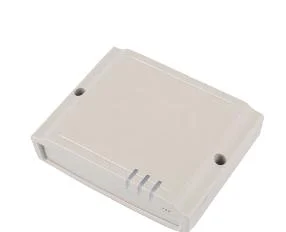
IN-RAT2-S
Time Controller
140×110×38.5 mm
Manages ZENKEY validity — expires automatically 24 hours after activation to prevent loss or misuse.
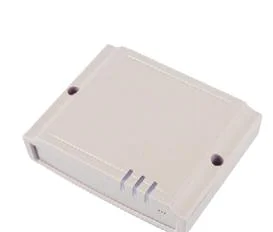
IN-M-PAD
Deactivation Pad
140×110×38.5 mm
Installed at the checkout counter to deactivate tags at payment — intuitive, no special tools needed.
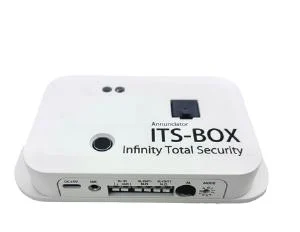
ITS-03-B
ITS BOX Alarm Unit
149×85×25 mm
Infinity Total Security annunciator; optionally connects to antennas for stronger overall protection.
Edge Tag Line-up (115kHz)
IN-M-WI
Wi-dimo Wire Tag
70×25×11 mm
Cable loop — ideal for bags and leather goods.
IN-M-AT
Wi-dimo Adhesive Tag
58×25×11 mm
Sticks directly to the product surface.
IN-M-KR
Kenshiro Tag
79×54×21 mm
Unique design fits many products; built-in triple alarm, replaceable battery.
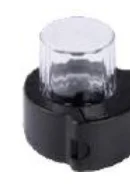
IN-M-BP
Bottle Pro Bottle Tag
70×69×78 mm / 82g
Manually adjustable cable fits most spirit bottles; 4-level alarm.
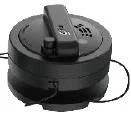
HG5-M-900
HAWK-GRIP FIVE
Φ60×38 mm / 72g
Cable tamper detection, built-in 5-level alarm, self-alarming, reset with the Resetter.
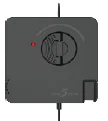
HGC-A/R-350
HAWK-GRIP FIVE COM
65×65×12 mm
Communication version of the HAWK-GRIP series.
Zone vs Edge
How do Zone and Edge differ?
Same antennas and tags, same 115kHz — the difference is where the antenna goes and when it alarms.
| Item | Zone System (area protection) | Edge Function (exit protection) |
|---|---|---|
| When it alarms | When a product leaves the antenna's protection zone | When a product approaches the door antenna |
| Antenna location | Display area, beside display tables, near counters | Above or beside the entrance (small cube hub) |
| Coverage | L: up to 9 m diameter, S: 5 m; adjusted with software | L: up to 3.5 m radius, S: 1.5 m; adjusted with a side knob; overlap several to widen |
| Protects | Selected high-value items or specific areas | Exit control for every tagged item in the store |
| Compatible tags | WD-M-WI wire tag, WD-M-AT adhesive tag | Same, plus self-alarming tags such as Kenshiro, Bottle Pro and HAWK-GRIP |
| Checkout release | IN-M-PAD deactivation pad, ZENKEY remote unlocking | Compact Deactivator; Resetter for self-alarming tags |
| Installation | Place and plug in; can be hidden in display fixtures | Mount above or beside the door and plug in; no space taken at the entrance |
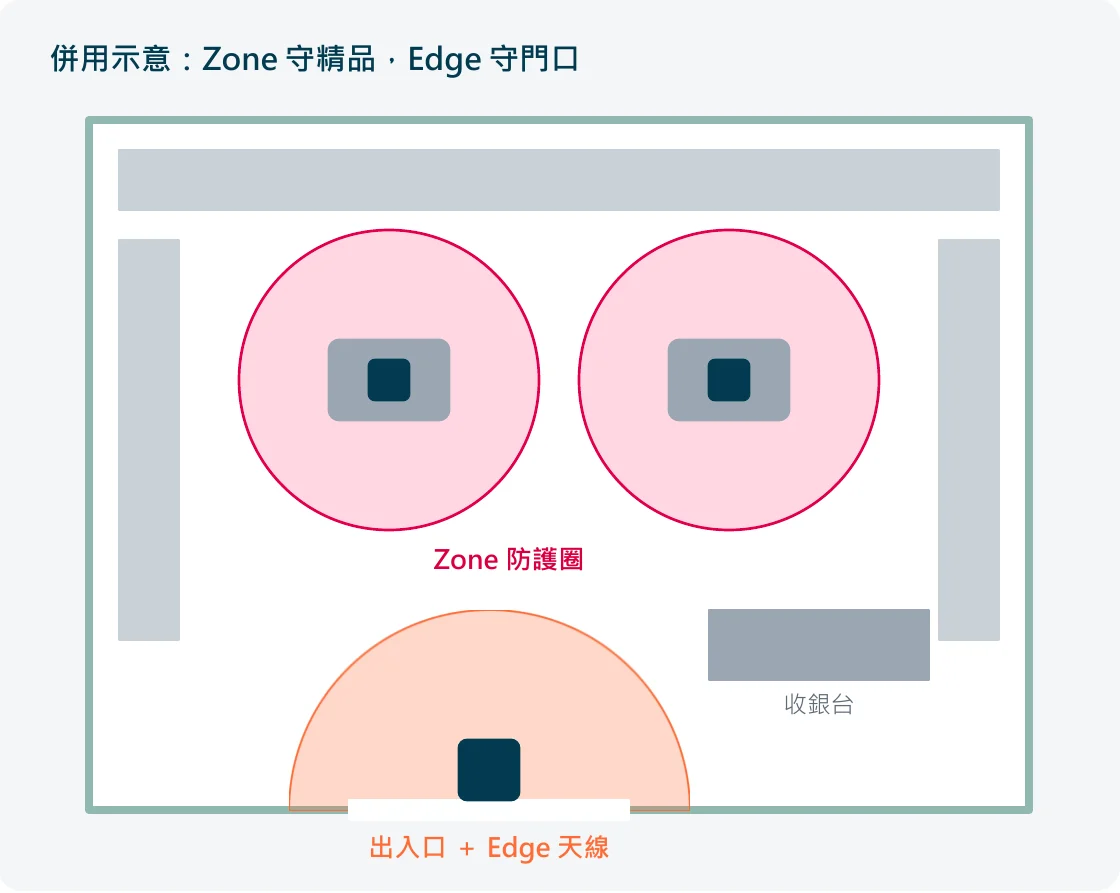
Choose Zone System: protect specific high-value items
Luxury goods, jewelry or flagship devices on open trial while other items need no protection; department-store counters, pop-ups and exhibitions without their own entrance; no security equipment wanted at the entrance.
Choose Edge Function: guard the whole store's exit
Stores with a clear entrance where every tagged item must be checked at the exit; no floor-standing EAS antennas wanted, keeping the storefront clean.
Use both: two layers of protection, one set of equipment
Zone guards premium items in the display, Edge guards the door — products are protected anywhere in the store; the same antennas and tags switch modes, so expansion needs no new purchase.
How it works
Three steps, deployed in minutes
Place the antenna
Zone: place the antenna beside the display; Edge: mount it above the entrance. Plug in and the zone is active.
Attach the tag
Choose a wire tag or adhesive tag for the product and attach it — no ID registration or pairing.
Checkout release
Cashiers release the tag with the deactivation pad, ZENKEY or Deactivator and remove it; tags are reusable.
Applications
Applications
Any product that must be displayed openly yet protected is a perfect fit for Wi-dimo.
Jewelry & luxury boutiques
Let customers try on high-value items instead of locking them in cabinets.
Bags, leather goods & apparel
Wire tags clip to handles or hang tags, keeping displays attractive.
Watches & eyewear
Customers can pick up display items freely; leaving the display area triggers the alarm.
Liquor & cosmetics
Bottle Pro and adhesive tags protect high-value bottles and jars.
Department-store counters & F&B
Create your own protection zone even without a dedicated entrance.
Pop-up stores & exhibitions
No installation, plug and play — easy to take away when you move out.
Gold-Pick also offers AM/RF exit anti-theft systems, people counting, RFID and electronic shelf labels, and can integrate them to suit your store.
Download
Wi-dimo Zone / Edge Product Presentation
Full specifications, Zone vs Edge comparison and deployment process — PDF download.