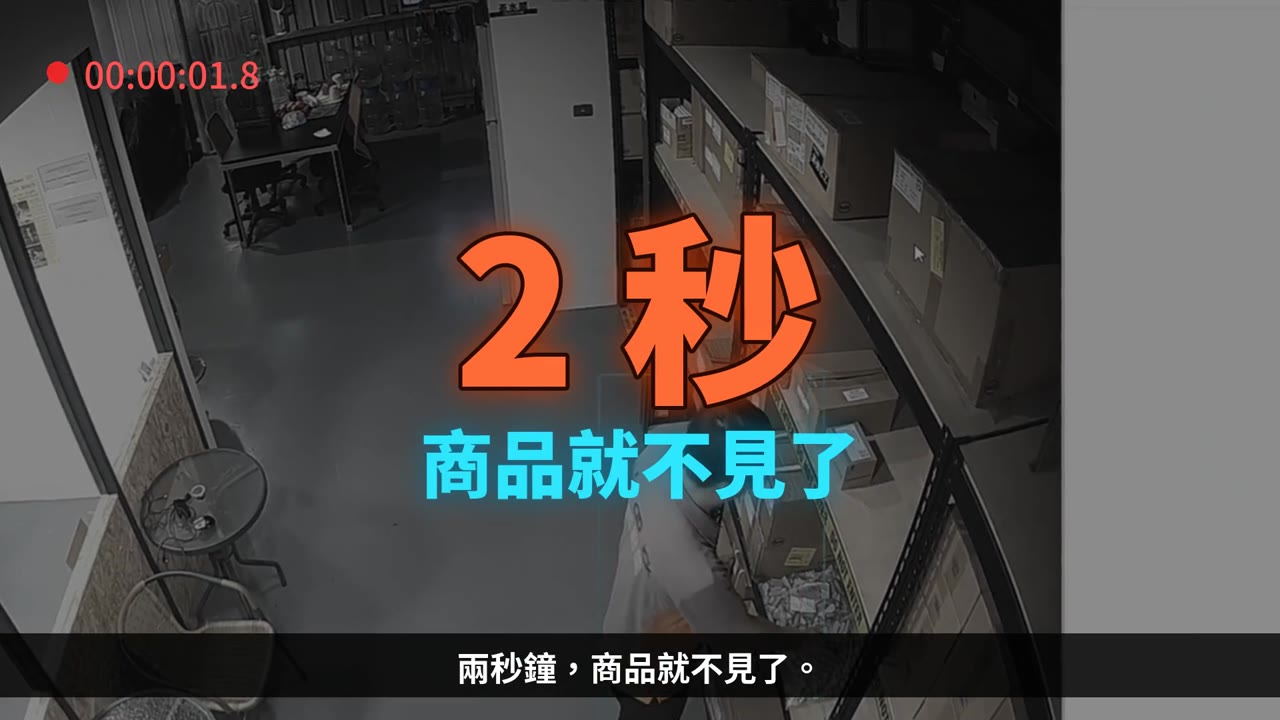
Why AI Loss Prevention
Most shrinkage happens while the cameras are "recording"
Everything is on video, but no one sees it as it happens — this is the biggest gap in retail loss prevention.
1.6%Retail shrinkage as a share of revenueFor annual revenue of NT$50 million, that is about NT$800,000 lost
36%of shrinkage comes from external theftThe rest comes from internal shrinkage, operational errors and administrative mistakes
30daysVideo overwrite cycleBy the time stock-taking reveals a shortage, the key footage has often been overwritten
What really happens in stores
- A duty officer watching 16 channels at once loses focus sharply after 20 minutes
- Concealment takes just 2–3 seconds — exactly in the frame no one is watching
- When stock-taking finally shows a shortage, no one knows which day or which camera to review
- Habitual shoplifters test stores: a store that has never stopped them becomes a regular target
Sources: NRF National Retail Security Survey (shrink rate 1.6%, external theft 36%); overwrite cycle depends on hard drive capacity and number of channels.
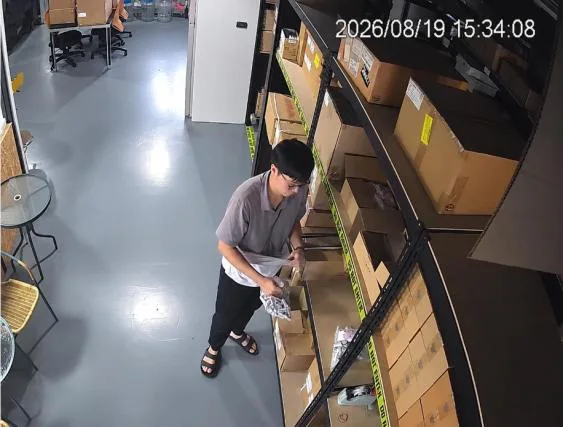
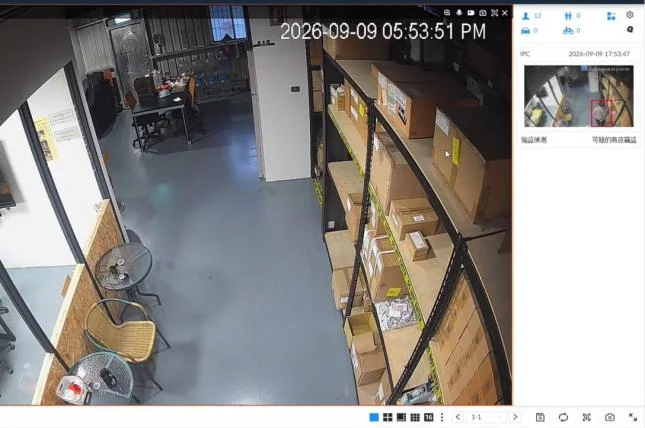
▲ Real footage from a store's shelf area: concealment takes only seconds, yet it is enough to cause losses
Three blind spots of conventional CCTV
Records, but doesn't judge
Cameras faithfully record every second, but never tell you "that action just now was suspicious." Video is evidence, not a line of defense.
Staff can't keep watch
One duty officer must monitor 8–16 channels at once; catching a concealment that lasts a few seconds by eye is nearly impossible.
Discovered too late
Losses are usually noticed only when stock-taking shows a shortage — by then the footage may already be overwritten, leaving nothing to investigate.
The key to loss prevention isn't "how clear the recording is," but "whether someone knows the moment it happens."
How it works
Skynet — a video recorder that reads behavior
Adds AI anti-theft computing on top of your existing surveillance system, turning "concealment" into an event that triggers a real-time alert.
01
Video Input
Up to 48 IP camera channels
Supports ONVIF and major brands
02
AI Behavior Analysis
Built-in deep learning AI compute card
Recognizes 6 concealment methods
03
Real-Time Alerts
Red on-screen frame + unit buzzer
E-mail notifications to staff
04
Event Review
Event thumbnail list
Locate by time and channel in one click
No need to replace existing cameras
Existing IP cameras of 2 MP or higher with a suitable angle can be reused, greatly lowering deployment costs.
Processing done on-device
AI analysis runs on the unit's built-in AI compute card — no need to upload video to the cloud, meeting store data-security and bandwidth requirements.
It understands "concealment"
It detects the act of slipping merchandise into clothing, pockets or bags — not just whether someone walked by.
AI Recognition
Six common concealment methods the system recognizes
Below is real evidence footage from stores; each set shows consecutive frames of a single concealment.

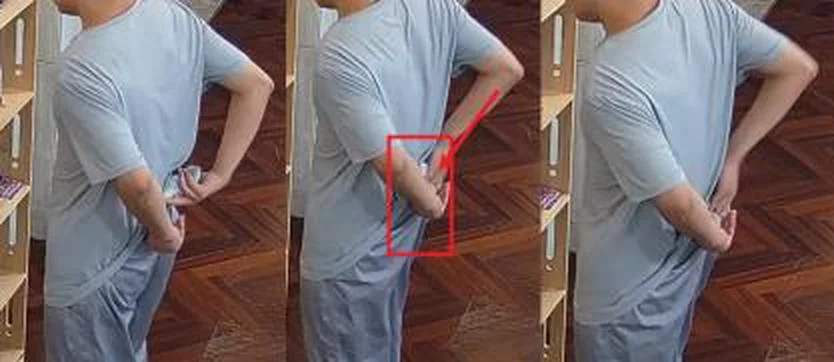

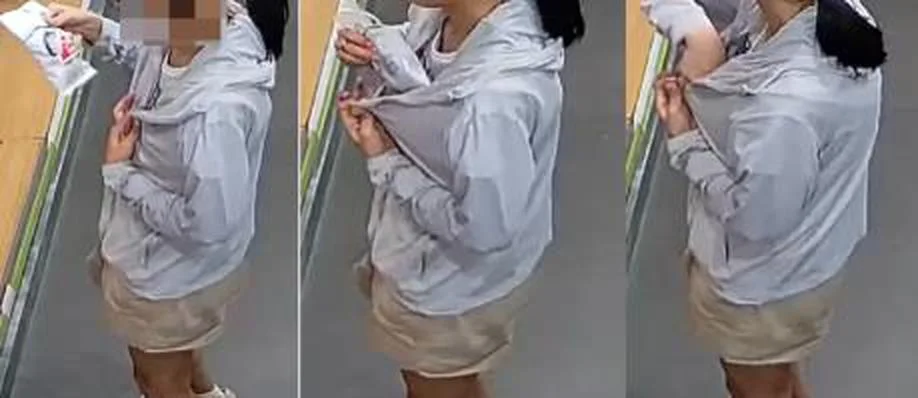

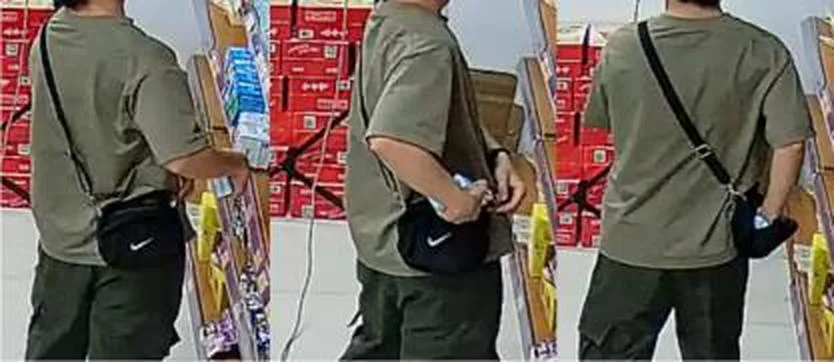
※ The system uses human detection and action-sequence analysis; it does not rely on product barcodes or anti-theft tags, and requires no action from shoppers.
Live Test
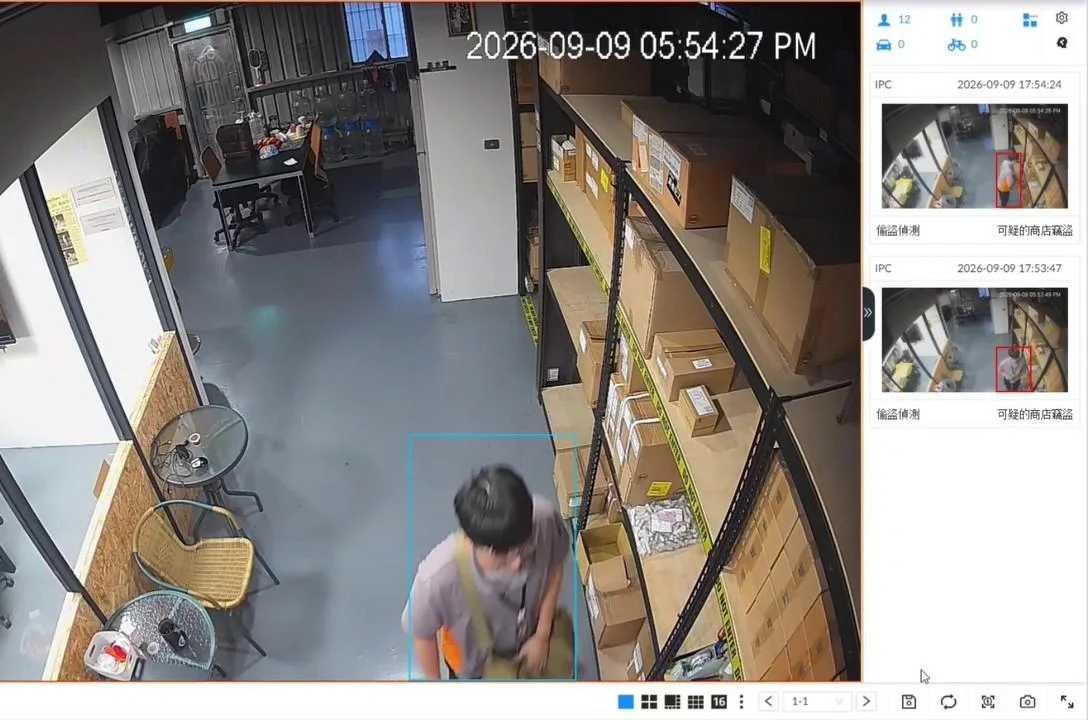
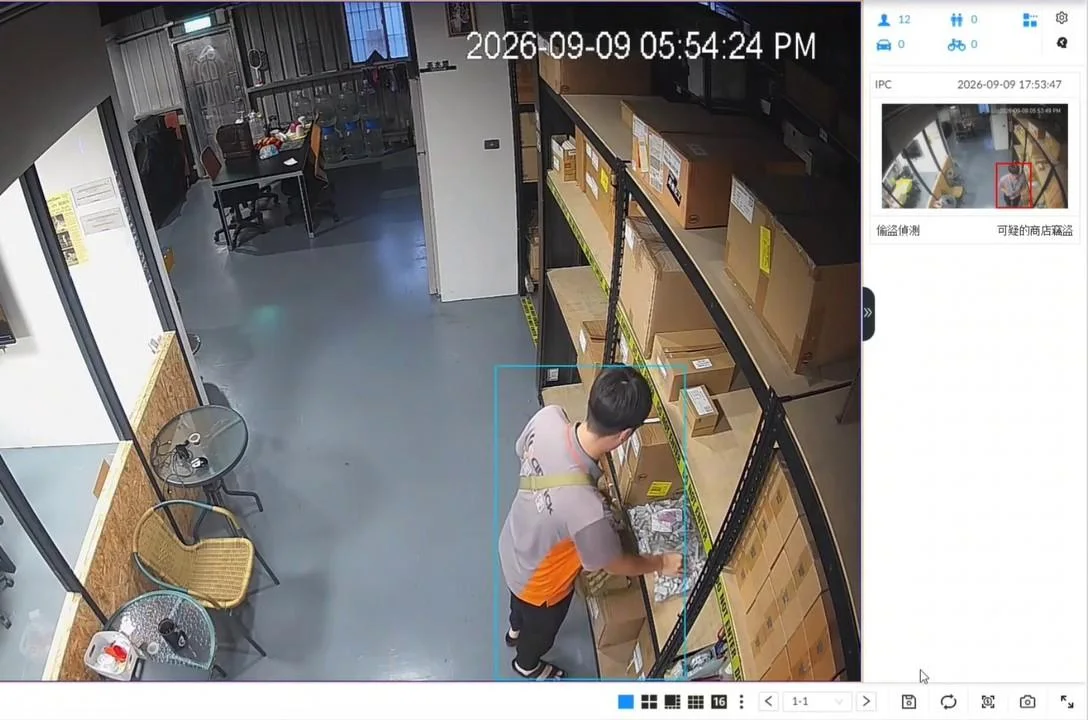
Same camera, two behaviors, two outcomes
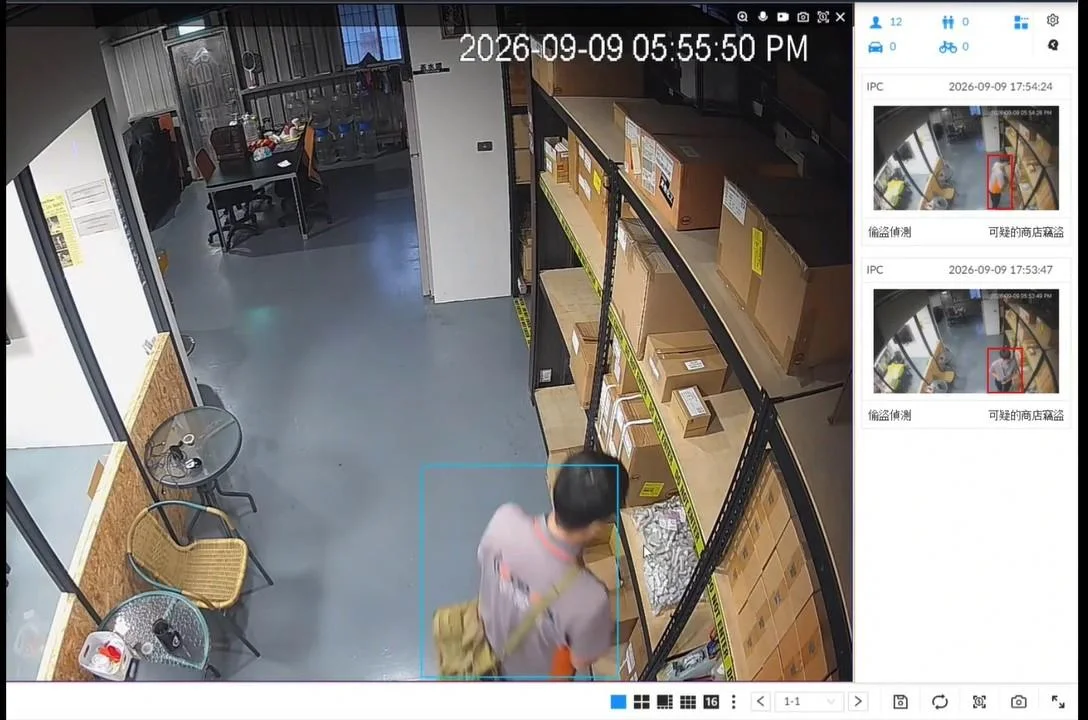
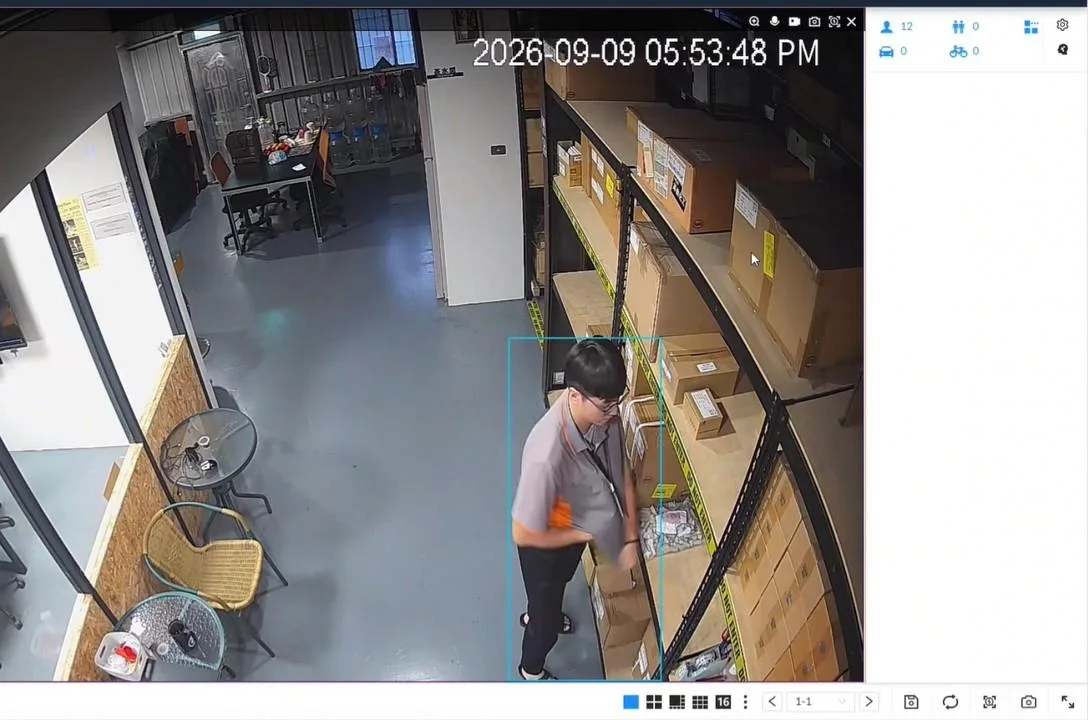
No bag? Still caught
No bag? Still caught
It recognizes the "concealment" action itself, not whether the person carries a bag.
- No reliance on bags or tags Whether there's a bag or whether items are tagged doesn't affect detection.
- Alerts now, not afterward Triggered the instant the action is completed, so staff can step in immediately.
- Events logged automatically Thumbnail, time, channel and event type are all recorded.
- Remote notifications too E-mail notifications can be sent to store or area managers (internet connection required).
Alerts
From detection to notification in the time of a single action
On-Site Alert
The live view frame turns red and the target is locked in a red box, with optional linkage to the unit's buzzer and external alarm output.
Event List
Each event automatically records a thumbnail, date and time, channel name and event type (e.g., suspected shoplifting).
E-mail Notification
Alert e-mails are sent over the internet so duty staff, store managers and area supervisors are notified at the same time.
Alert Linkage
Can be linked to recording, snapshots, alarm output, PTZ presets and smart tracking, with scheduled arm / disarm by time period.
Site Planning
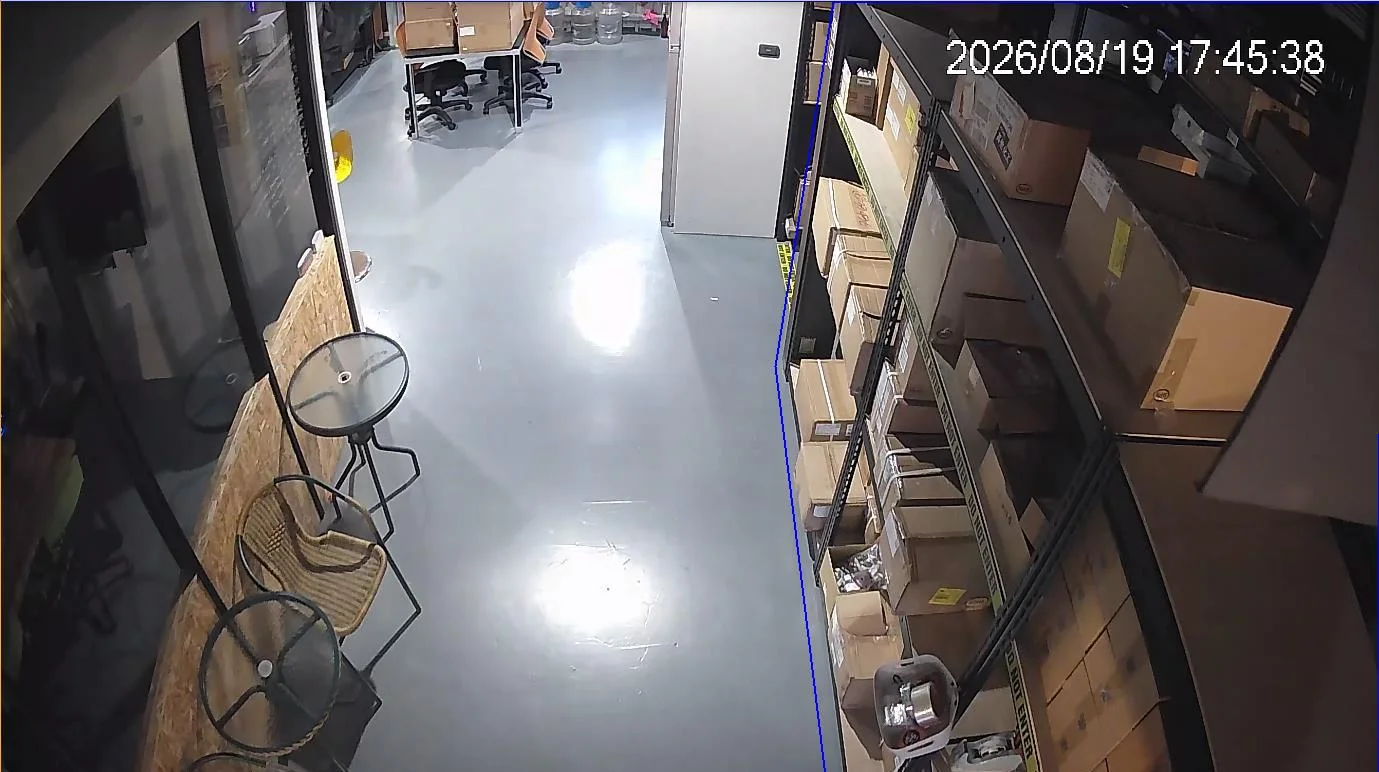
Rule lines and detection zones customized to store traffic flow
Up to 10 rule lines can be set per camera, strengthening coverage of high-value areas and blind spots.
Compatible smart detection features
Anti-theft concealment recognitionHuman detection and trackingLine crossing detectionIntrusion detectionLoitering detectionCrowd detectionLingering detectionObject left / removedPeople CountingVideo diagnostics (blur / obstruction)Scheduled Arming
Scheduled Arming Apply different rules for business hours, off-peak hours and after closing to reduce false alerts.
Product Line
Three tiers, chosen by store type and camera count
All three models share the same hardware; they differ in the number of built-in AI compute cards, which determines how many channels can run anti-theft analysis at once.
Skynet T1
4channelsAI anti-theft analysis channelsBuilt-in AI compute cards 1
Recommended for: convenience stores, small drugstores, single-counter boutiques
Best Seller
Skynet T2
8channelsAI anti-theft analysis channelsBuilt-in AI compute cards 2
Recommended for: mid-size supermarkets, consumer electronics stores, chain stores
Skynet T3
12channelsAI anti-theft analysis channelsBuilt-in AI compute cards 3
Recommended for: hypermarkets, large chains, logistics warehouses
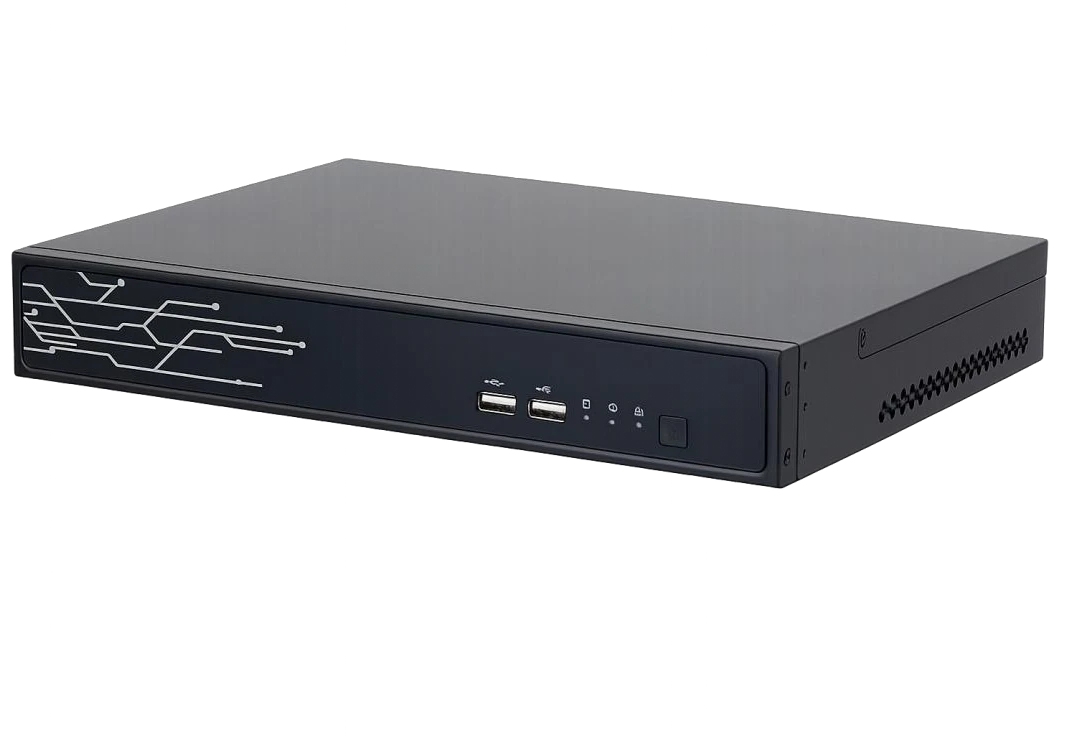
Common specifications
- Up to 48 IP camera channels
- 1U chassis (desktop / rack-mount)
- 1 SATA bay, up to 20 TB per drive
- HDMI × 2 (Port 1 supports 4K) + VGA × 1
- Dual Gigabit Ethernet ports
- Supports ONVIF and major-brand IP cameras
Specifications
Skynet T1/T2/T3 common hardware specifications
| Processor | 64-bit high-performance multi-core processor | Video Output | HDMI × 2 (Port 1 supports 4K), VGA × 1 |
|---|---|---|---|
| Operating System | Embedded Linux | Ports | 2 × RJ-45 10 / 100 / 1000 Mbps |
| Video Input | Up to 48 IP camera channels | USB | Front panel 2 × USB 2.0; rear panel 2 × USB 3.0 |
| Network Bandwidth | Incoming / recording / outgoing 256 Mbps each | Serial Ports | RS-232 × 1, RS-485 × 1 |
| Resolution | Up to 32 MP (32 / 24 / 16 / 12 / 8 / 6 / 5 / 4 / 3 MP, 1080p, 720p) | Alarm / Audio | Alarm in 4, out 2; audio in 1, out 1 |
| Video Compression | H.265 / H.264 (smart codec reduces storage and bandwidth) | Power / Consumption | 12 VDC / 5 A; 18 W (without HDD) – 25 W (full load) |
| Live View | Up to 16 channels of local live preview | Dimensions | 304 × 223.8 × 43.5 mm (1U, desktop / rack-mount) |
| Storage Interface | 1 SATA bay, up to 20 TB per drive | Weight | Net weight 1.75 kg |
| Third-Party Compatibility | ONVIF (Profile S / T / G), RTSP, SDK | Operating Environment | −10 °C to +55 °C; humidity 10–90 % RH (non-condensing) |
Video retention depends on hard drive capacity, number of active channels and bitrate settings; with a 30-day loop recording plan, expired footage is overwritten automatically. AI anti-theft analysis covers 4/8/12 channels depending on model (T1/T2/T3).
Architecture
Deployment: keep existing cameras, upgrade at the recorder
Video from on-site cameras feeds into the Skynet unit, where the built-in AI compute card performs AI analysis before distributing to each monitoring endpoint.
Front-End Cameras
Entrance camerasShelf aisle camerasCheckout camerasBlind spots / high-value areas2 MP or higher recommended, 30°–60° downward angleSkynet Unit T1/T2/T3
Video input and loop recording (up to 48 channels)AI anti-theft behavior analysis (4/8/12 channels)Alert decisions, event logging and linked outputsRule lines and scheduled arm / disarm managementMonitoring & Notification
HDMI monitor · live viewing at the duty deskPC client software · multi-screen managementMobile app · remote viewing and playbackE-mail alerts (store internet connection required)Before you start
Installation requirements and detection conditions
AI recognition has physical limits. Setting clear conditions up front keeps expectations in line with actual results.
Installation Recommendations
- Cameras of 2 MP (1080p) or higher recommended
- Mounting angle of 30°–60° downward recommended; avoid being too vertical or too horizontal
- Point lenses straight down shelf aisles, minimizing obstruction and backlight
- The store needs an internet connection to enable e-mail alert notifications
- Size hard drive capacity based on channel count, bitrate and retention days
- We recommend a site survey by Gold-Pick engineers to plan camera positions and rule lines
Recognition Limits (please read before deploying)
- Extremely fast theft may not form a complete action sequence
- Target too far from the camera, lacking body and hand detail
- Stolen item is too small or transparent
- Key action blocked by shelves, other people or the person's own body
- Located in a camera blind spot
Skynet is the "real-time detection" layer of loss prevention; we recommend pairing it with an EAS retail anti-theft system and on-site staff verification for a complete line of defense. Gold-Pick can also plan EAS gates, anti-theft tags, consumer electronics display security and RFID inventory counting — one point of contact for your entire loss prevention setup.
Applications
Where it fits best
Any open-shelf environment where shoppers can freely pick up merchandise is prime territory for Skynet.
Convenience stores · Supermarkets
High-turnover, small items across large open displays
Drugstores · Beauty stores
High-value small-package goods with concentrated theft risk
Consumer electronics · Telecom stores
High-priced, small accessories that are easy to pocket
Apparel · Household goods
Areas around fitting rooms and blind spots are high-risk
Bookstores · Libraries
Can be planned together with RFID library collection systems
Warehouses · Logistics sites
Internal shrinkage control in picking and outbound staging areas
▶ Understand Skynet in 90 seconds: from "reviewing footage after the fact" to "deterring theft in the moment"
Video
Book a site assessment & quoteSkynet Commercial
Two seconds, and the merchandise is gone. See how Skynet uses AI to read concealment, raise real-time alerts and notify your staff.